

App Overview
The Line 21 desktop app for Windows, macOS and Linux: ingest audio from your computer, connect CART software, and show captions in a customisable overlay.
When to use the app
The Line 21 App is a desktop application available for all major operating systems.
It allows you to:
- Ingest audio from your computer (usually for ASR purposes)
- Produce manual captions through your preferred CART software
- Display captions on screen through a customizable overlay
Installation
Line 21 is available for Windows, MacOS, and Linux (Debian/Ubuntu or AppImage).
Windows certificate The Windows version currently has a temporary certificate issue. As a result, the operating system may show a warning during download or installation. You can safely ignore this message and proceed.
You can download the app directly from:
👉 line-21.com/resources
| OS | Download Link |
|---|---|
Windows | v0.11.2 |
MacOS | v0.11.2 |
Linux (Debian/Ubuntu) | v0.11.2 |
Linux (AppImage) | v0.11.2 |
Project Code
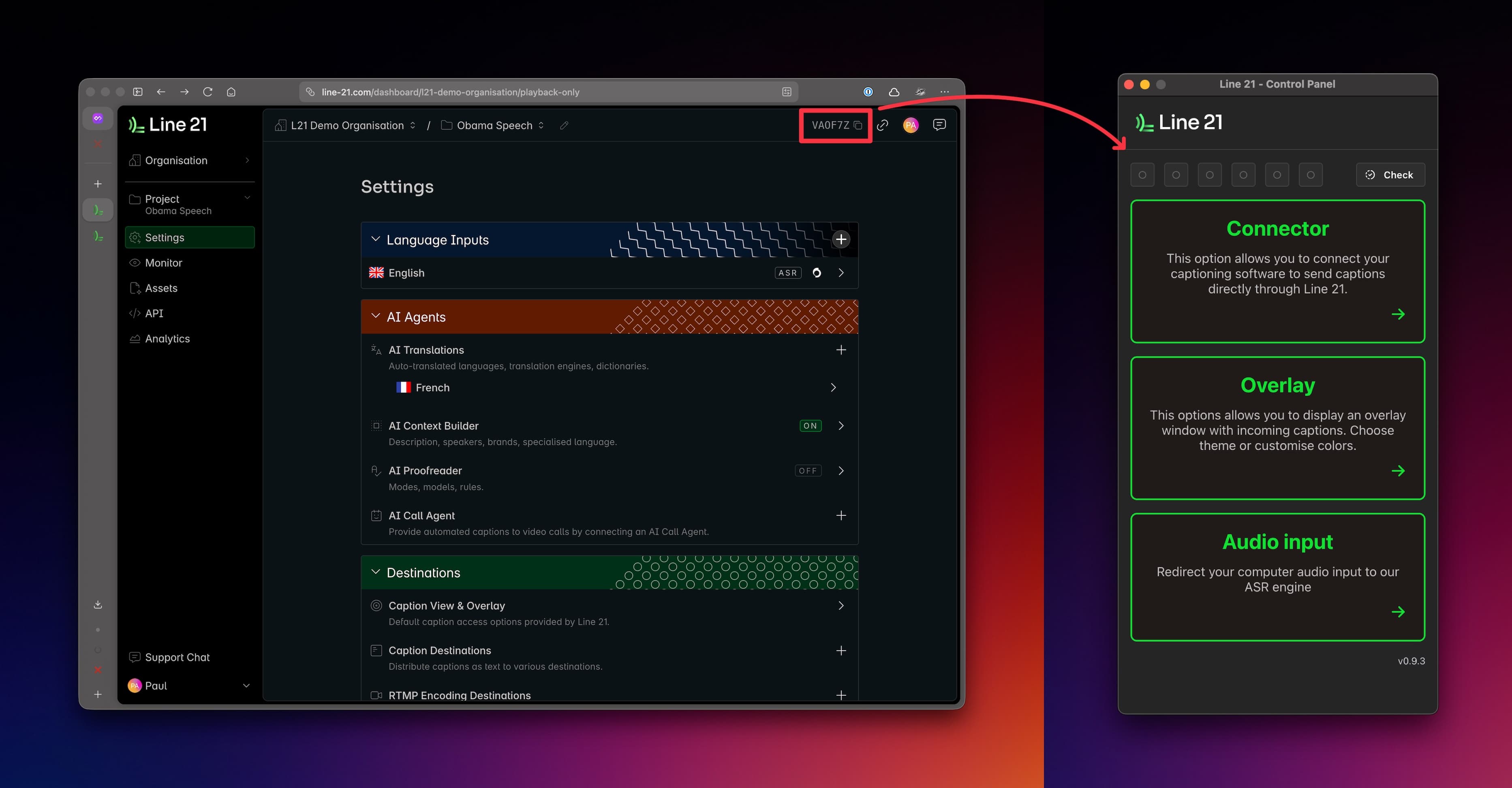
Once the application is installed and launched, you must enter the Project Code to access its features.
Every project has a unique code shown in the main project dashboard, as illustrated below:
Main Features
After entering the Project Code, the application provides access to three main features:
- CART Connector — Connect your preferred CART software and stream real-time steno input.
- Overlay — Display captions using a highly customizable on-screen overlay, suitable as a standalone display or as a video overlay.
- Direct Audio — Ingest audio directly from your system's audio devices.
Usage
Track pay-as-you-go usage for each Line 21 project with its usage dashboard, across input minutes, AI services and the other types of usage that are billed.
CART connector
Connect professional CART stenography software to Line 21 through the desktop app, so human captioners can deliver real-time captions to every destination.